
Discord Bot Hosting
Keep your Node.js, Python and Java bots online around the clock, with automatic restarts, a live console and databases included.
- 4.9 on Trustpilot (opens in a new tab)
- From €4 a month
- Automatic restarts
- Databases included
Choose your plan
Every plan runs bots written in Node.js, Python, Java and more. Upgrade any time.
- CPU threads
- 2
- Storage
- 40 GB
- Databases
- 8
- Backups
- 2
Included with every plan
- Restarted automatically after a crash
- Live console and file manager
- Dependencies pre-installed
- Ready within minutes
- 99.9% uptime SLA
- Help from our team in Discord
Your bot hosting
- Memory
- 4 GB
- CPU threads
- 2
Secure checkout in our billing area
Choose your billing period in the next step.
Online in
three steps.
No server to set up: we run the machine, you bring the code.
- Choose your planPick the memory and CPU your bot needs. You can upgrade later.
- Upload your codeUse the file manager, SFTP, or pull it straight from your Git repository.
- Start your botSet your environment variables, press start, and watch it come online in the console.
Built to keep
your bot online.
Dedicated resources and the tools you need to run, watch and fix your bot.
- Dedicated resourcesYour bot gets its own CPU and memory, so it stays responsive at busy times.
- Automatic restartsIf your bot crashes, the panel restarts it automatically.
- Node.js, Python and JavaRun bots in the language you know, with more languages available on request.
- Databases includedEvery plan includes databases for your bot’s data, from 4 on Starter Bot to 16 on Smart Bot.
- Live consoleWatch your bot’s output as it happens, and start, stop or restart it in one click.
- Upload your wayFile manager in the browser, SFTP, or straight from a Git repository.
Your bot,
at a glance.
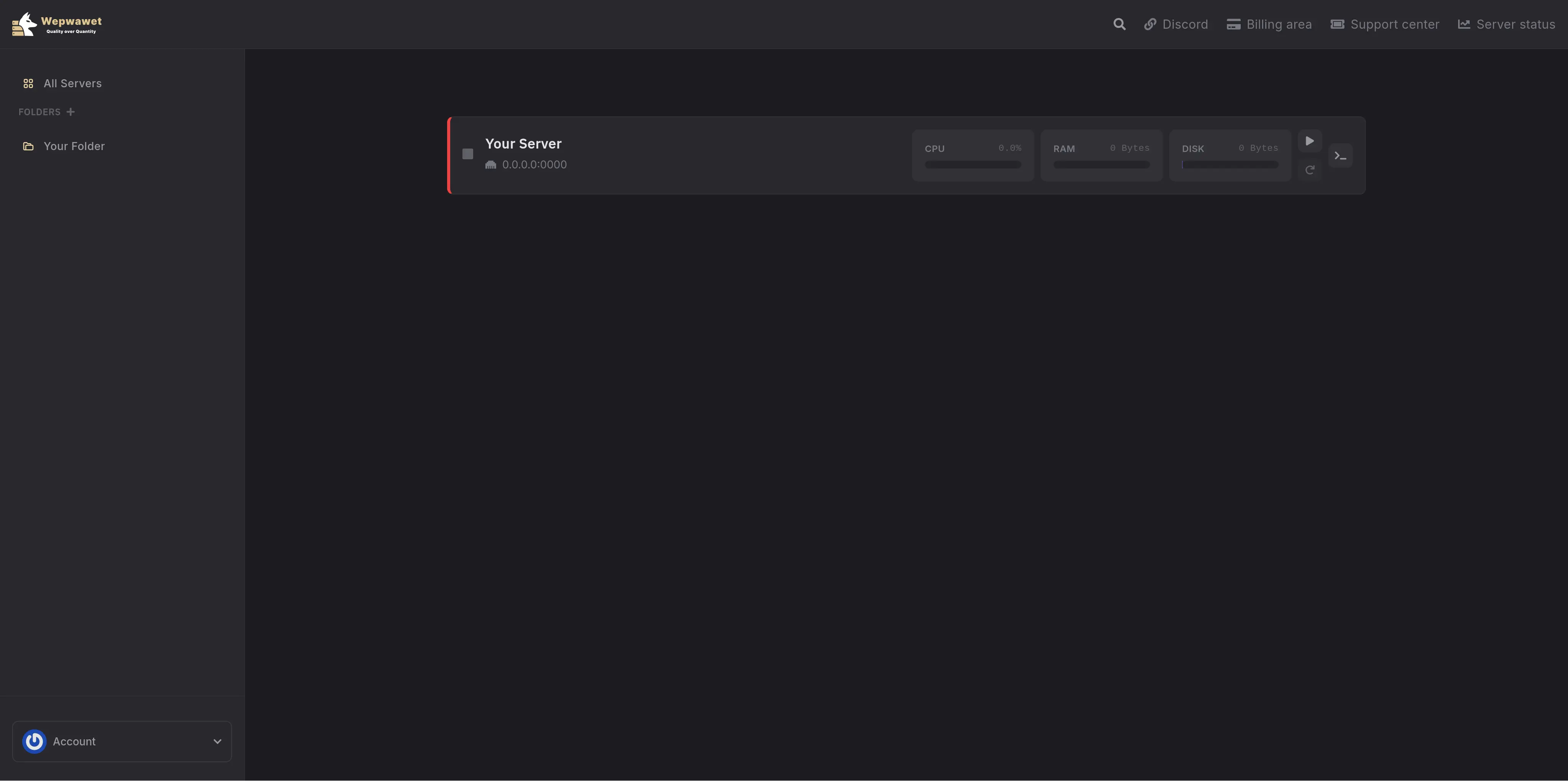
Bots run in the same panel as our game servers: monitor resources, read the logs, restart your bot and update its code from one place.
- Real-time console access
- File manager with a code editor
- Resource usage monitoring
- Backup and restore options
Every plan,
side by side.
Need more for a resource-hungry bot? Ask us in Discord about a custom plan.
Ask about a custom plan| Plan | Memory | CPU threads | Storage | Databases | Backups | Price | Choose |
|---|---|---|---|---|---|---|---|
| Starter Bot | 2 GB | 1 | 20 GB | 4 | 1 | €4/mo | |
| Lean Bot Recommended | 4 GB | 2 | 40 GB | 8 | 2 | €8/mo | |
| Lite Bot | 6 GB | 3 | 60 GB | 12 | 2 | €12/mo | |
| Smart Bot | 8 GB | 4 | 80 GB | 16 | 3 | €16/mo |
A small team that answers.
“The support is immaculate, the staff are very respectful and genuinely good people, and the servers are really good quality for their pricing too.”
“Whether it's for a small server, huge event or something custom they will have you covered. … The panel is so simple it makes hosting a server look easy.”
Which languages can my bot use?
Node.js, Python and Java run out of the box. Need another language? Ask us in Discord.
How do I upload my bot?
Upload it in the file manager in your browser, over SFTP, or pull it straight from a Git repository.
Are databases included?
Yes. Every plan includes databases for your bot's data: 4 on Starter Bot, up to 16 on Smart Bot.
What happens if my bot crashes?
The panel restarts it automatically. If it keeps crashing right after it starts, the console shows the error that stops it.
Can I see the console and logs?
Yes. The panel shows your bot's console in real time, and you can start, stop and restart it from there.
Can I upgrade later?
Yes. Move to a bigger plan from the billing area when your bot needs more memory or CPU.
Your bot,
online around the clock.
Pick a plan above, upload your code, and press start.